
Lab Casino’s account guide outlines the steps involved in registration, signing in and managing player profile details. The platform was previously operated by Genesis Global Limited.
Genesis Global Limited voluntarily surrendered its UK Gambling Commission licence, number 45235, in December 2022 and is no longer covered by that UK authorisation. The operating status of the former Lab Casino website has not been verified. Before providing personal details, make sure the service you are accessing is genuine and currently operational.
| Task | Where to Do It | What You Need |
|---|---|---|
| Create an account | Registration form, if accessible | Requested personal and contact details |
| Log in | Sign-in form | Your login identifier and password |
| Log in on mobile | Sign-in form in your mobile browser | Your credentials and a secure connection |
| Reset a password | Forgot-password option on the sign-in form | Access to the contact method used for recovery |
| Verify identity | Verification area or document request | Documents specified in the request |
| Secure the account (2FA) | Account security settings, if offered | A supported second authentication method |






Who Can Join Lab Casino and What Is Required
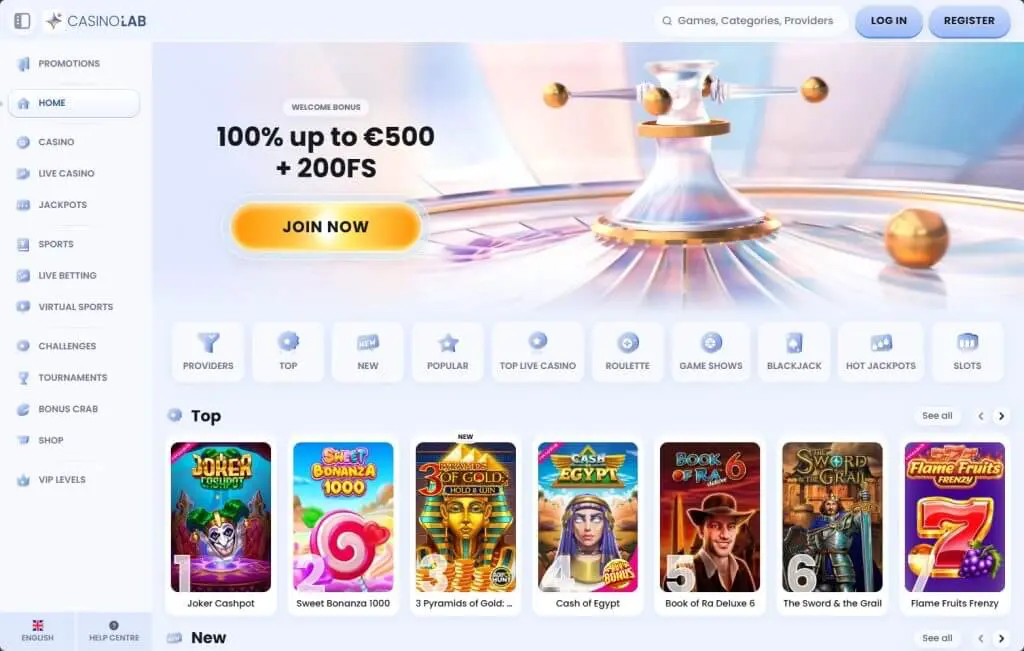
Before entering your details, establish that our service is operating and that registration is permitted where you live. You must be legally old enough to gamble in your jurisdiction and able to provide accurate information about yourself. Do not use another person’s identity or contact details to complete a form.
Keep access to the email address or phone number you provide: you may need it to confirm contact details or recover access. If you cannot establish that a registration page belongs to our operating service, stop before sending credentials or identity documents.
Creating a Personal Account on the Platform

If our registration form is accessible, complete it yourself and follow its prompts in sequence. The steps below cover registration and your first sign-in without assuming that a particular form or confirmation method is currently available.
Follow these actions in order if our service and registration form are accessible. The first four cover registration; the remaining steps take you through your first login and profile checks.
- Step 1 — Open the service — Open our service only after establishing that it is genuine and operating. Find the registration option if it is accessible; do not enter personal information into a page whose connection to our service you cannot establish.
- Step 2 — Complete the form — Enter the requested personal and contact information yourself. Compare the entries with your identity documents, correct any typing errors and choose a contact method you can access for confirmation or recovery.
- Step 3 — Confirm your contact details — If the registration process sends an email or phone confirmation, follow the instructions provided and enter any requested code. Keep that code private and do not give it to an unexpected caller.
- Step 4 — Accept the terms — Read the terms presented in the registration process and accept them only if you agree. Complete any remaining submission prompt yourself, then retain your login details securely for the first sign-in.
- Step 5 — Sign in — Open the sign-in form and enter the identifier and password you created. On mobile, use a secure connection and avoid saving credentials in a browser on a shared device.
- Step 6 — Review your profile — After signing in, compare the displayed personal and contact details with what you intended to submit. Correct editable errors, or use an available support route if a field cannot be changed directly.
- Step 7 — Check verification and security — Look for any identity-verification request and follow its document instructions. Review security settings as well; if two-factor authentication is offered, set it up and store recovery information separately from your password.
Registration Form and Required Personal Information
Enter the personal information requested by the form accurately and consistently with your identity documents. Review spelling, date entries and contact details before submitting; a mismatch can make it harder to establish that the account belongs to you. Do not upload documents through an unverified page or send them to an unverified contact.
Setting Up Login Details and Accepting the Terms
Choose a unique password and store it in a password manager rather than reusing one from another service. Read the terms presented during registration before accepting them. Acceptance is a decision you make yourself; do not select a consent box on someone else’s behalf.
Account Activation and Verification Procedures
If a confirmation message is sent, use the instructions in that message to confirm the contact method you supplied. A confirmation link or code establishes access to that contact method; it does not necessarily complete identity verification. Avoid sharing a code with anyone who contacts you unexpectedly.
If we request identity documents, follow the instructions in the request and provide the specified documents through the stated secure process. Make sure the information is legible and matches your account details. Keep the original documents and avoid altering an image to conceal a mismatch.
Accessing the Player Area for the First Time
Use the login identifier and password you created to enter the player area. On a mobile device, use a secure connection and enter the same credentials in the sign-in form. If a browser offers to save them, use that feature only on a device you control.
Once signed in, review the profile information shown and correct any entry you can edit. If a detail cannot be changed directly, use the account’s available support route rather than opening another account to work around the problem.
Configuring Profile Details and Account Security
Review your contact details and security settings while you have access to the account. If two-factor authentication is offered, follow the setup instructions and keep any recovery information somewhere separate from your password. The security habits below help protect access without relying on a shared device.
Protect both your login credentials and the contact method used for recovery. These habits reduce the chance of unauthorised access and help you retain control of your account.
- Use a unique password — Create a password you do not use elsewhere and store it in a password manager, so a breach of another service does not expose your account.
- Protect your contact method — Secure the email account or phone used for recovery, because someone with access to it may be able to intercept a reset message.
- Enable a second factor if offered — Set up two-factor authentication in account security settings when available, and store recovery information separately from your password and everyday device.
- Sign out on shared devices — End your session when using a device other people can access, and decline browser prompts to save your password on that device.
- Keep recovery details current — Update an outdated contact detail through the available account process while you can still sign in, reducing the risk of losing access later.
Registration Eligibility, Restrictions and Duplicate Account Rules
Register only for yourself and only if gambling is lawful for you where you are located. Our UK licence was surrendered, so you should not assume that our operator is currently regulated to serve the UK market. The supplied licence information does not establish that registration is currently open in any particular country.
If you think you already have an account, try to recover access rather than creating another profile. A second registration can make it harder to reconcile your identity and account history. If recovery fails, use an available verified support route to explain the existing-account issue.
Common Sign-Up Difficulties and How to Resolve Them
Start troubleshooting with the exact message shown on the form and avoid repeatedly submitting changed personal details. The fixes below separate credential problems from contact-confirmation and form-entry problems, so you can take a targeted action before seeking help.
Use the relevant fix for the message or obstacle you encounter. Stop entering sensitive information if you cannot establish that the service is genuine and operating.
- Forgotten password — Select the forgot-password option on the sign-in form, enter the requested account identifier and follow the recovery instructions sent to your registered contact method.
- Confirmation message missing — Check your spam or junk folder and confirm that you entered the contact detail correctly. Request another message only if the form offers that option.
- Registration form rejects an entry — Read the field-specific error, correct the indicated format or missing information, and submit again without changing accurate identity details unnecessarily.
- Login details are not accepted — Check the identifier, keyboard layout and password entry. If you still cannot sign in, use the password-reset path instead of repeatedly guessing.
- Existing account blocks registration — Try recovering access to your existing profile. If that fails, explain the issue through an available verified support route rather than creating another account.